A Foundation licence holder's first steps into software defined radio — building a 3D printed quadrifilar helix antenna from scratch.
Building a QFH Antenna
Why QFH?
A standard dipole works for satellite reception but it's compromised — it's linearly polarised, while weather satellite signals are circularly polarised. This mismatch causes a polarisation loss of up to 3 dB on average, and the loss varies as the satellite moves across the sky.
Circular polarisation: Radio waves can be polarised in a plane (linear) or rotating (circular). A circularly polarised wave rotates its electric field vector as it propagates — either right-hand or left-hand. Meteor-M transmits right-hand circular polarisation (RHCP). A linearly polarised receiving antenna like a dipole will receive RHCP signals with a theoretical 3 dB polarisation loss averaged over a full rotation. A circularly polarised antenna like a QFH matches the incoming polarisation perfectly, recovering that 3 dB and providing more consistent signal strength throughout the pass.
The Quadrifilar Helix (QFH) is the classic weather satellite receiving antenna. It's circularly polarised, has a hemispherical radiation pattern (ideal for satellites passing overhead at any angle), requires no ground plane, and can be built from cheap materials.
The Design: 3dp-qfh
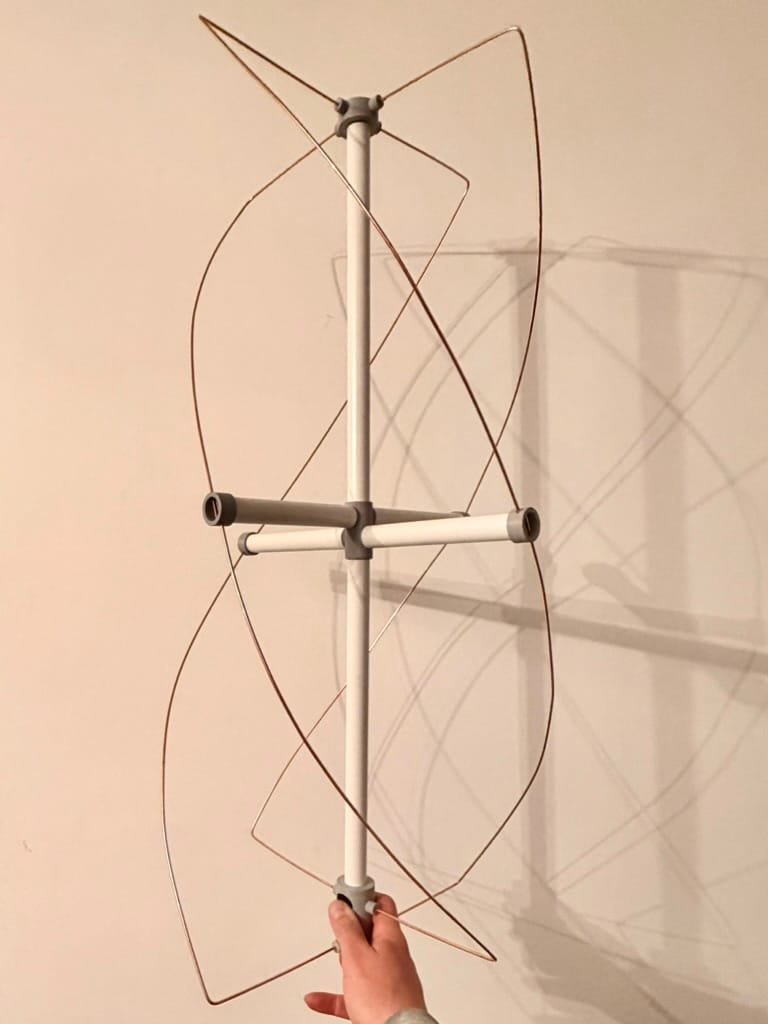
The design I used is LongHairedHacker's 3dp-qfh from GitHub — a 3D printed version using printed connector parts, PVC pipe, and welding rod elements. The printed parts handle all the awkward geometry automatically.
The original design specifies 15mm pipe and 3mm welding rod. I had 20mm white PVC conduit and 2.4mm TIG rod already in the garage, so I modified the OpenSCAD model parameters to match. Neither change has any electrical effect at 137 MHz — the wavelength is 2.2 metres, so the difference between 2.4mm and 3mm rod is completely invisible to the signal.
Important to note, that I changed the outer diameters of the end caps, but not the central connector, otherwise I'd have to modify the pipe lengths. I avoided any changes to geometry that would affect the placement of the rods.
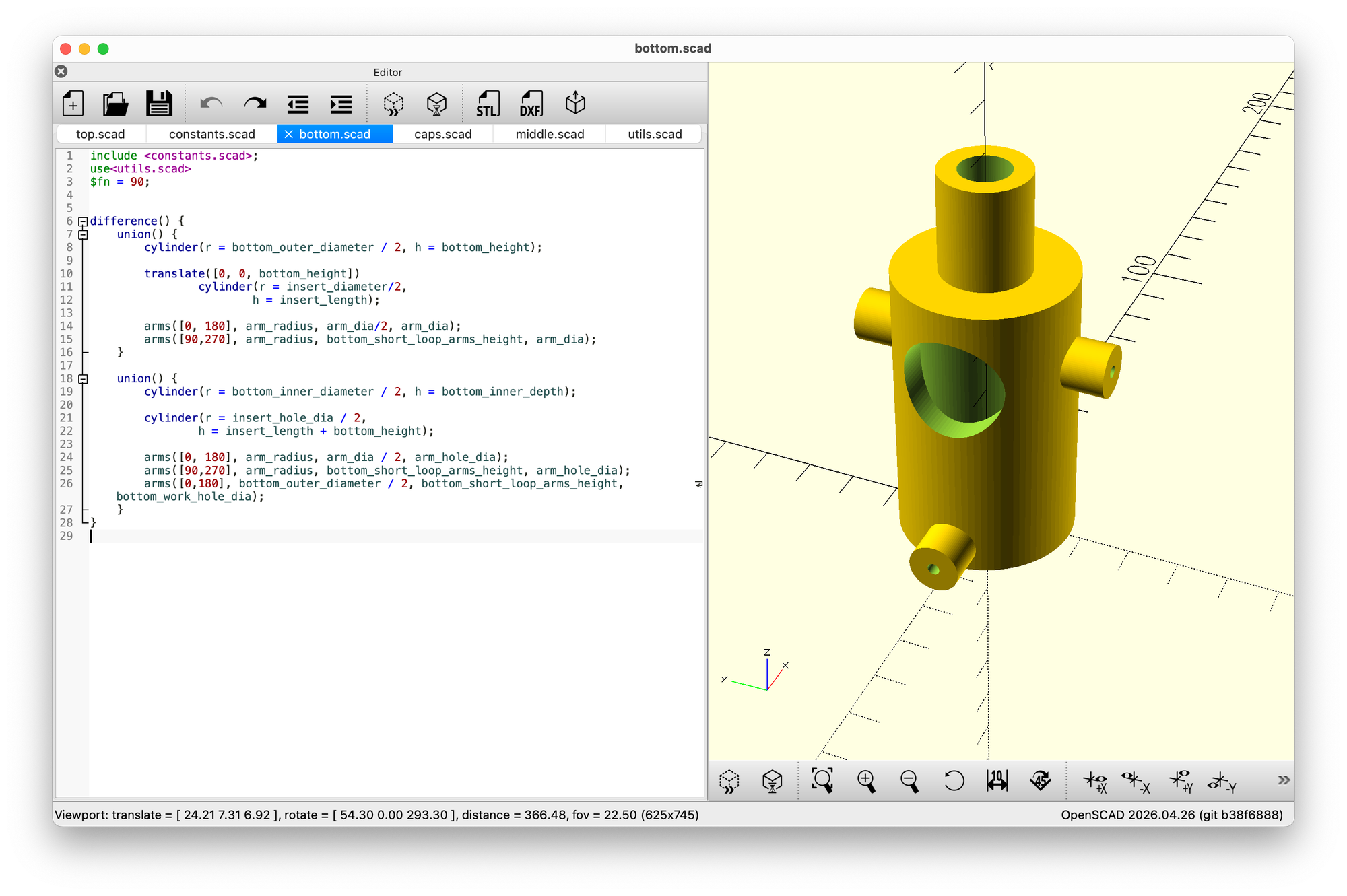
I test printed some of the original parts first to verify the geometry and fit before committing to the modified dimensions. Once happy, I reprinted everything with the adjusted parameters.
QFH dimensions at 137.5 MHz (from John Coppens' calculator at jcoppens.com): Total helix height: 721 mm The antenna consists of two loops — one large and one small — wound as a helix around a central PVC pipe, offset 90 degrees from each other. The size difference between the loops creates the phase quadrature (90° phase relationship between the two loops) that generates circular polarisation. Electrically, the two loops form a single continuous conductor path from coax centre conductor to coax braid, twisted around the pipe.
Materials used:
- 20mm white PVC electrical conduit (already in the garage — cost: £0)
- 2.4mm copper-coated steel TIG welding rod (OpenSCAD diameter parameter adjusted — electrically insignificant at 137 MHz)
- 3D printed connector parts in PETG (white/light grey — better UV and temperature resistance than PLA for outdoor use)
- RG174 coax pigtail, 1m — running up through the centre of the PVC pipe to the feedpoint at the top ( I couldn't find pigtails, so bought 3m male to male cables, and cut in half)
- Self-amalgamating tape for weatherproofing
Total additional materials cost: approximately £5 — built entirely from garage stock and 3D printed parts, the cable being the only thing needed.
Assembly Notes
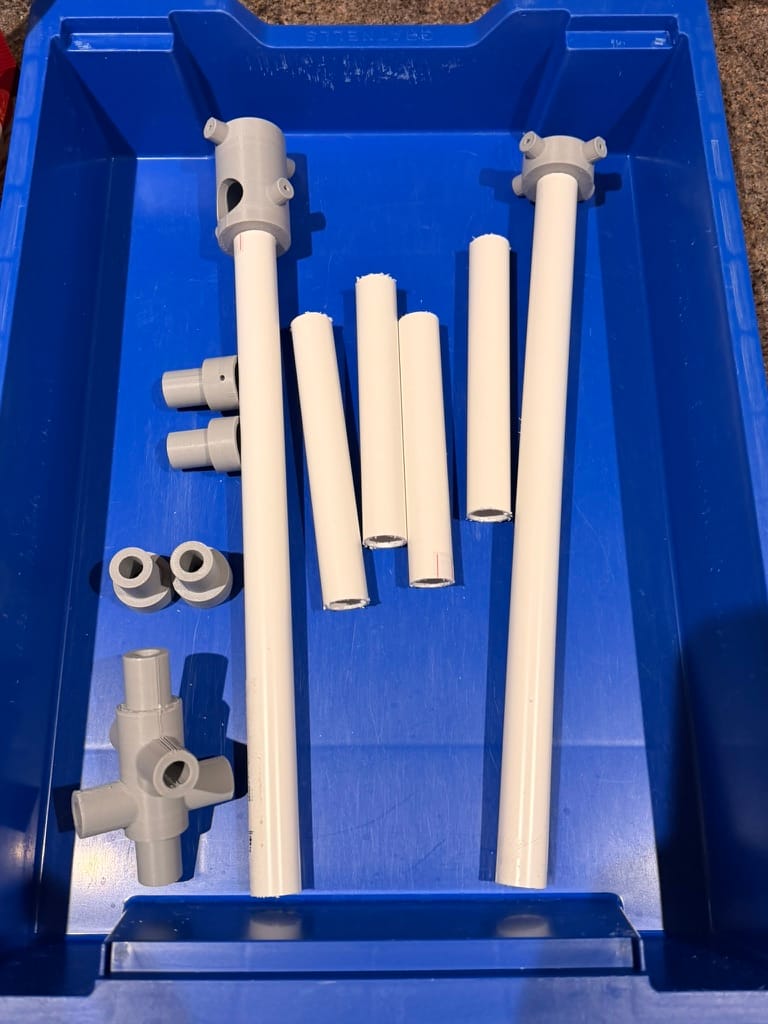
I'd planned this as a build-with-the-kids project. My 8 year old has been interested in the radio stuff and I thought assembling the antenna would make a good afternoon activity. Instead I found myself having accidentally built the whole thing in one sitting — just testing each part to make sure it worked, fitting one rod to check the clips, then another, and before I knew it all eight rods were in place and I was holding a finished antenna.
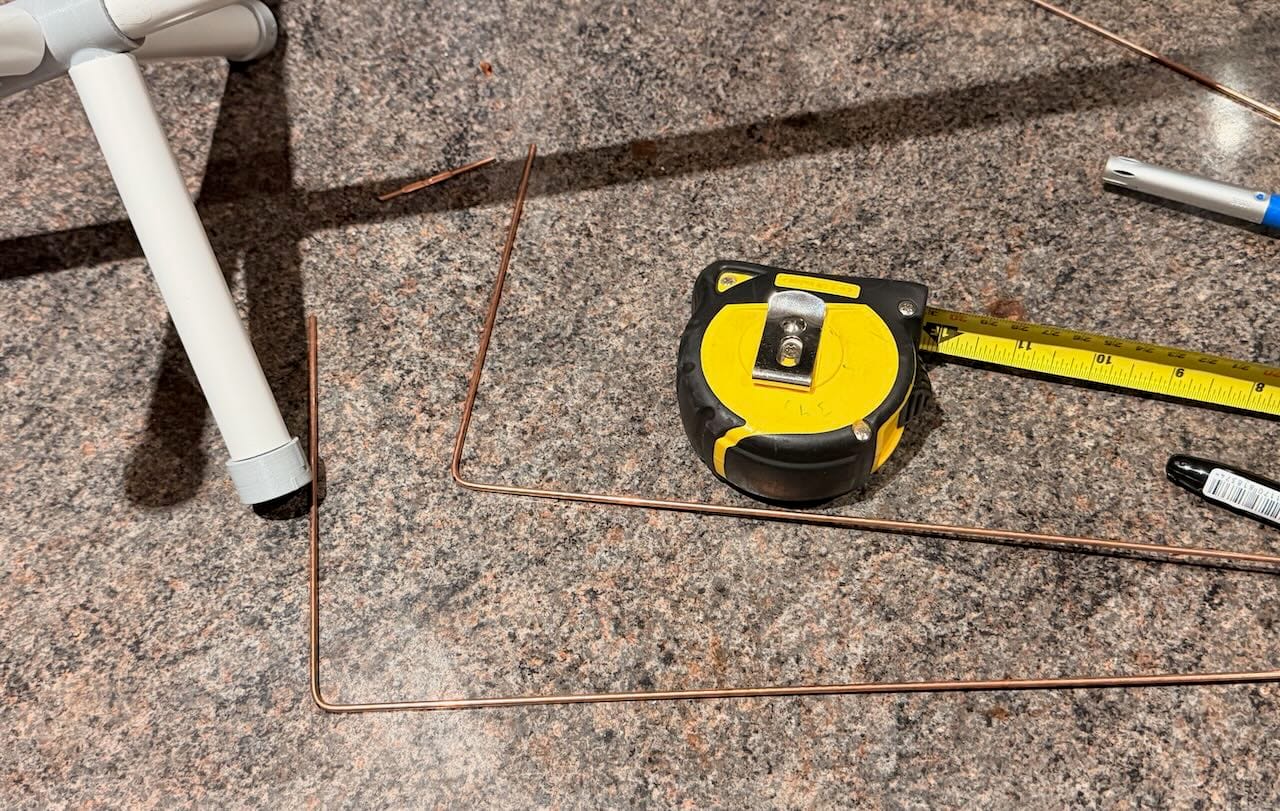
That's the thing about well-designed parts — each one goes in so satisfyingly that stopping feels wrong.
The kids will get their moment when it comes to the first live pass reception. Watching a satellite signal appear on a screen, understanding it's coming from something 800km overhead travelling at 7.45 km/s — that's a better payoff than fitting rods into clips anyway.
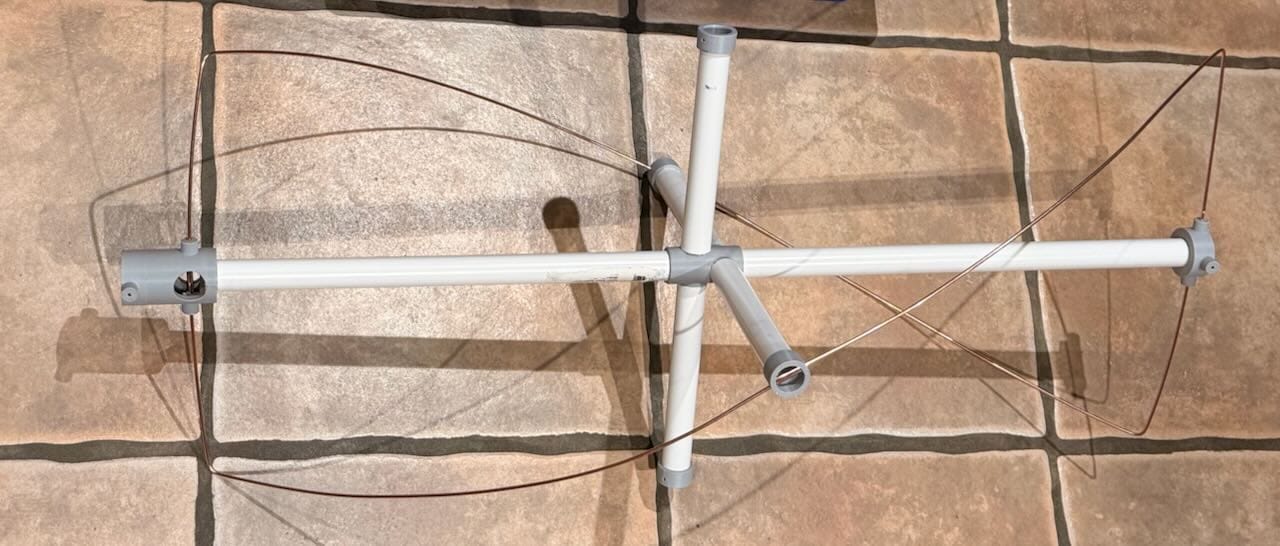
The design uses a top cap and bottom cap. The feedpoint — where the coax connects and the loop cross-connections are made — is at the top cap. The coax runs up through the centre of the PVC pipe from the bottom.
Feedpoint wiring: The top cap has two separate connection points (AC and BD). Large loop end A laps and solders to small loop end C; large loop end B laps and solders to small loop end D. AC and BD must not touch each other — the gap between them is the isolation that makes the antenna work. Coax braid connects to one pair, coax centre conductor to the other.
Soldering
What Worked
Using rosin flux alongside the solder made a significant difference. The copper-coated steel TIG rod takes solder reasonably well but it benefits from flux — joints that had been reluctant to flow cleanly came together properly once I started applying flux first.
Why flux helps on copper-coated steel: Copper oxidises quickly when heated. Flux is a chemical cleaning agent that removes oxides from the metal surface during soldering, allowing the solder to wet and bond to the base metal rather than balling up on the surface. Rosin flux is non-corrosive once cooled and is the standard choice for electronics and antenna work. If joints are coming out dull, grainy, or reluctant to flow — add flux.
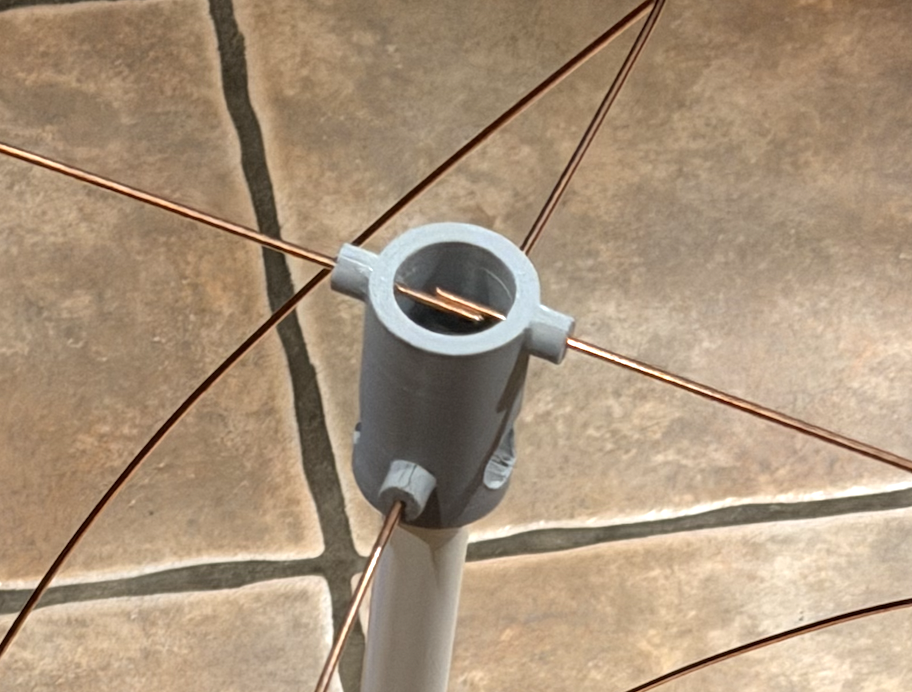
Lap joints worked well throughout. A 10–15mm overlap and solder flowed into the joint. Strong, clean, and much easier than trying to hold two rod ends butted together while soldering.
Lap vs butt joints at 137 MHz: A 10–15mm overlap represents approximately 0.7% of the wavelength — completely invisible electrically. The tiny additional conductor length has no measurable effect on antenna performance. Mechanical reliability matters far more than dimensional perfection at these frequencies.
Soldering tips summary:
- Apply rosin flux before soldering — especially on copper-coated steel
- Lap joints (10–15mm overlap, slightly twisted) are stronger and easier than butt joints
- Work quickly — minimum dwell time with the iron near printed parts
- A dab of epoxy over each joint adds mechanical strength once cool
- Weatherproof the top cap with self-amalgamating tape once the coax is fitted
What Went Wrong: The Melted Caps
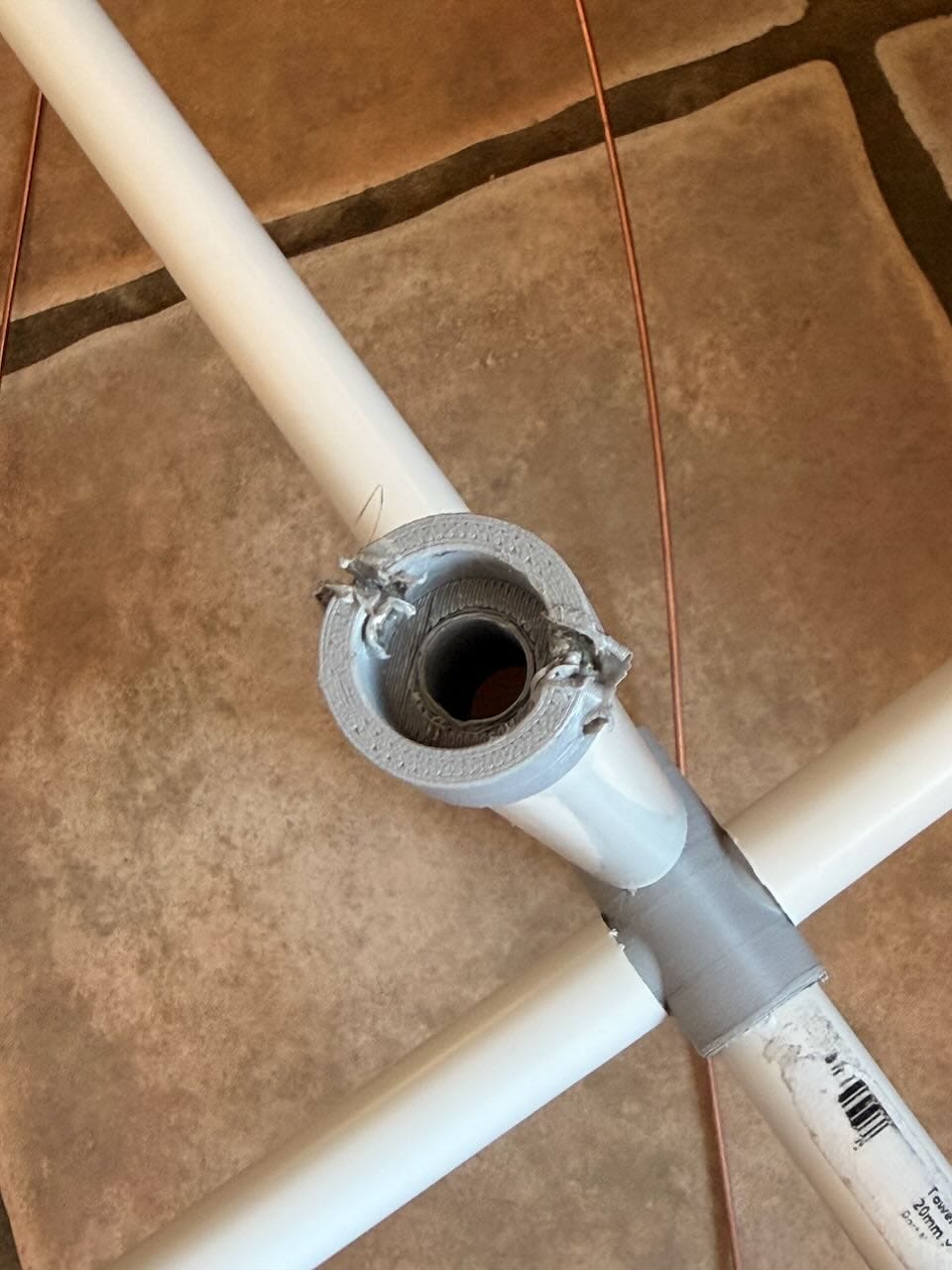
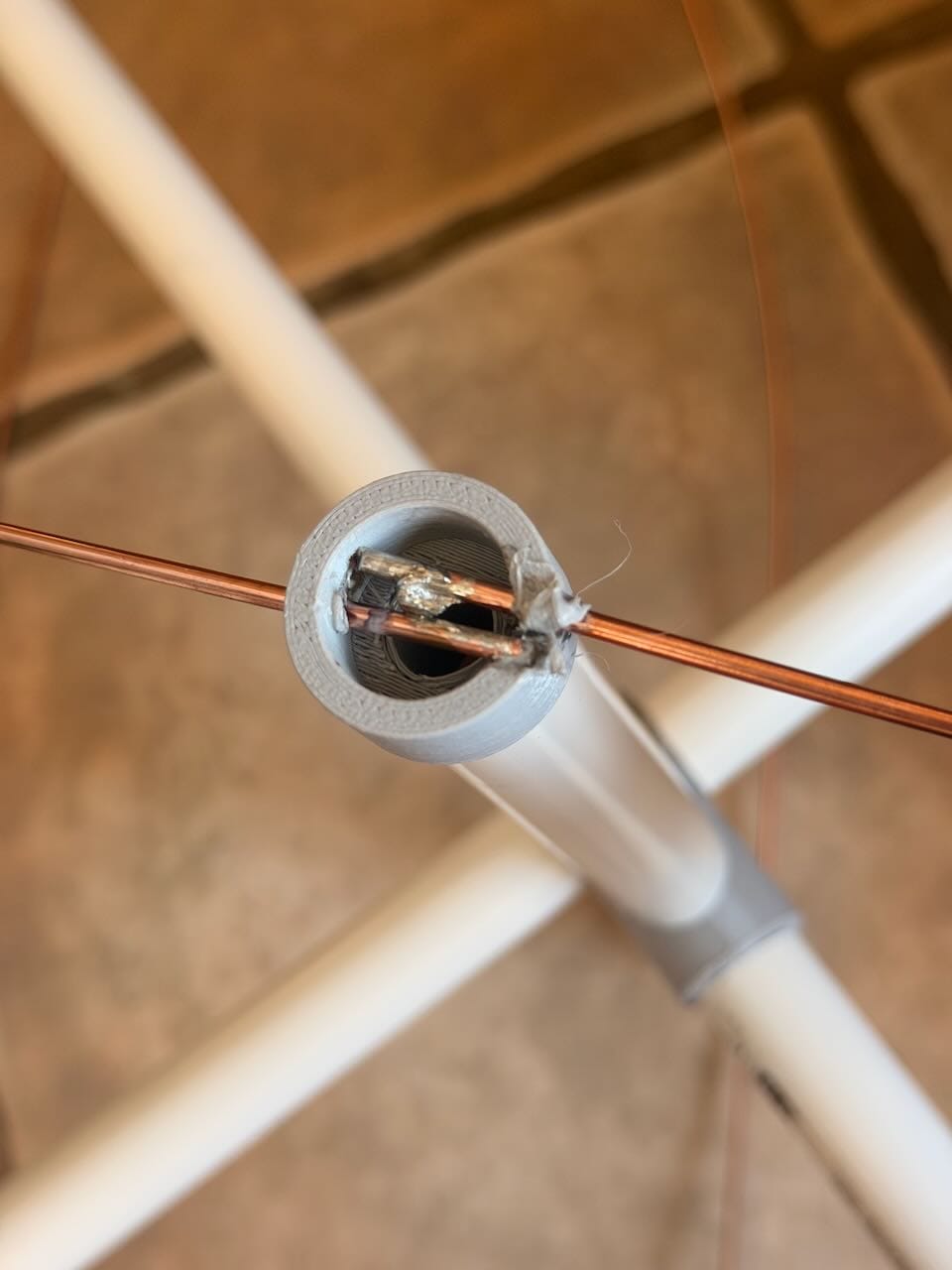
Overworked joints caused the rods to melt through the end caps.
Two end caps were casualties of the process. Here's exactly what happened, because it's a useful failure:
A rod end was slightly sprung — under tension in the cap hole rather than sitting relaxed. When I went to solder the joint, the heat conducted down the rod and softened the PETG around the hole, allowing the rod to spring free. I then made the classic mistake of applying more heat to try to resolder it in position. That completed the damage and melted the cap.
Heat conduction in metal rods: Copper-coated steel conducts heat efficiently. A soldering iron applied to a joint 10–15mm from a printed part will transfer enough heat to soften PETG (which starts to deform around 80°C) within a few seconds if the rod is in contact with the plastic. The fix is simple: ensure the rod is fully relaxed and seated before applying the iron. A relaxed rod in a correctly-sized hole stays in position without force and can be soldered quickly before significant heat reaches the plastic.
Two reprints needed. The remaining joints — done once I understood the process — went together cleanly.
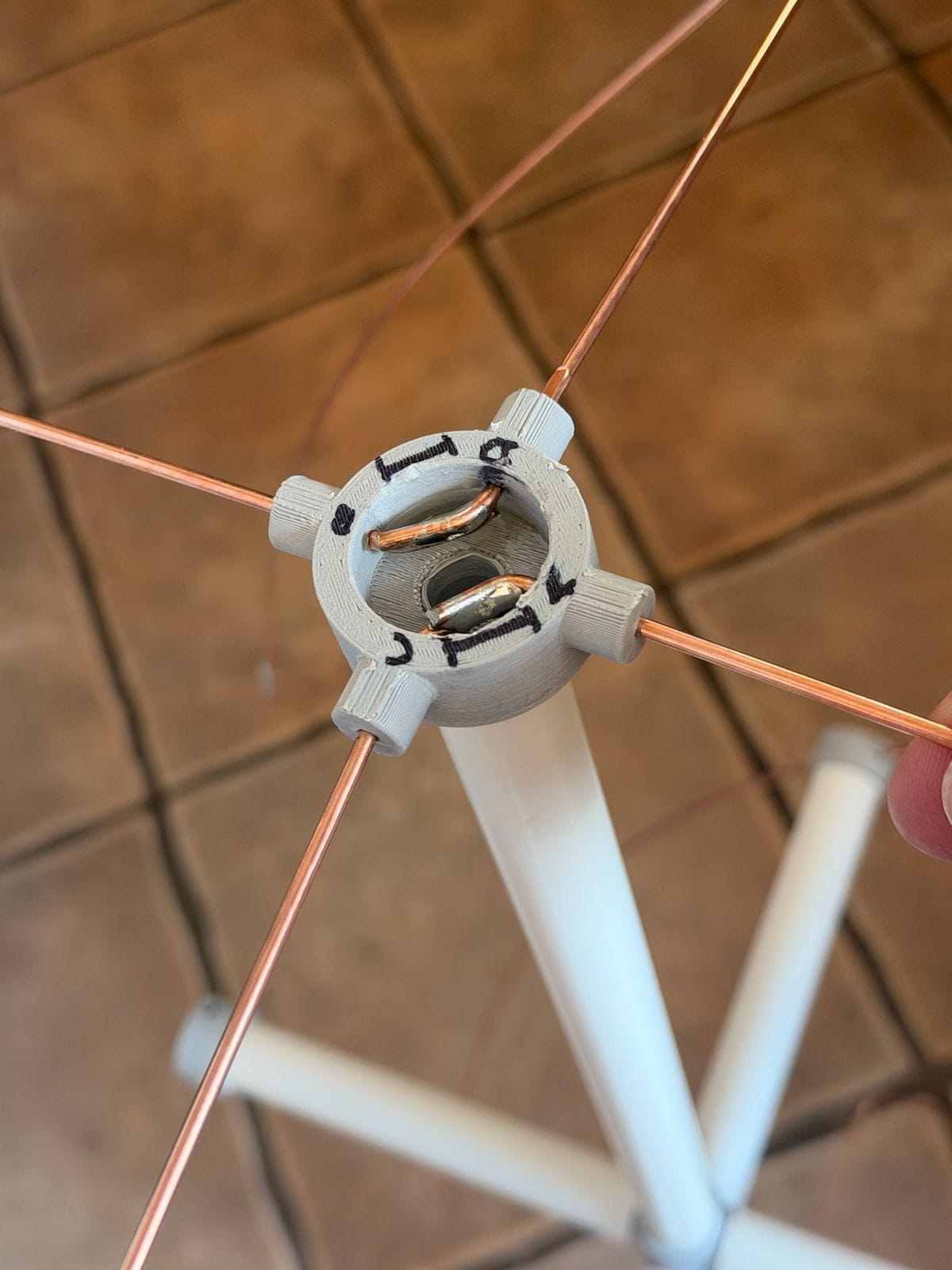
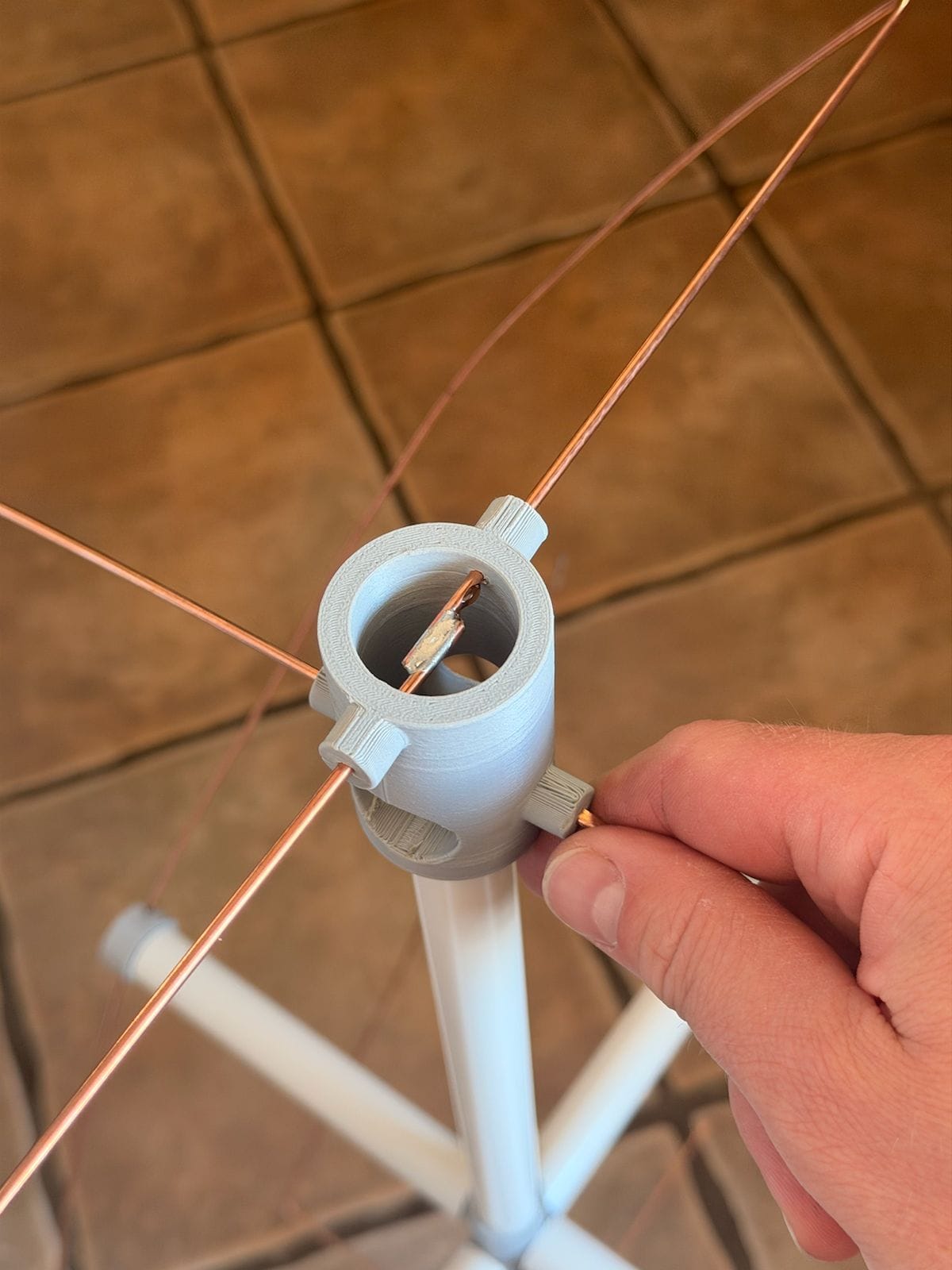
Finished lap joints in the top and bottom.
A better design approach for future builds: slots instead of holes for the rod ends would allow rods to be soldered away from the printed parts entirely, then slid into the slots cold and secured with epoxy or a printed retaining cap. No heat near the plastic at all. Worth considering if you're iterating on this design.
Mounting
The 3dp-qfh design leaves no exposed conduit at either end — the rod ends occupy the space around both caps, and the bottom cap has the loop ends offset by 20–30mm as part of the helical geometry. A standard pipe-end spigot mount isn't possible.
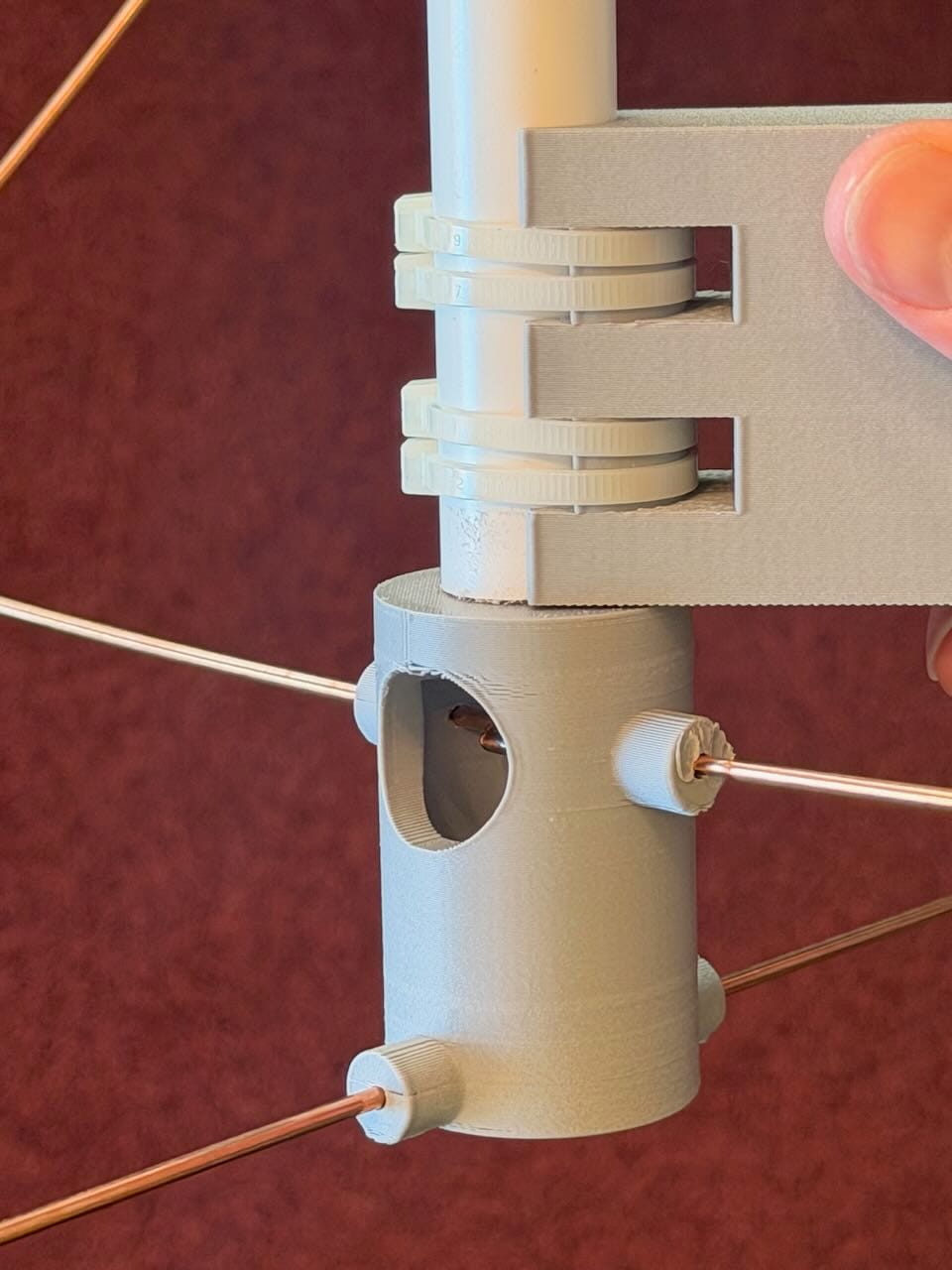
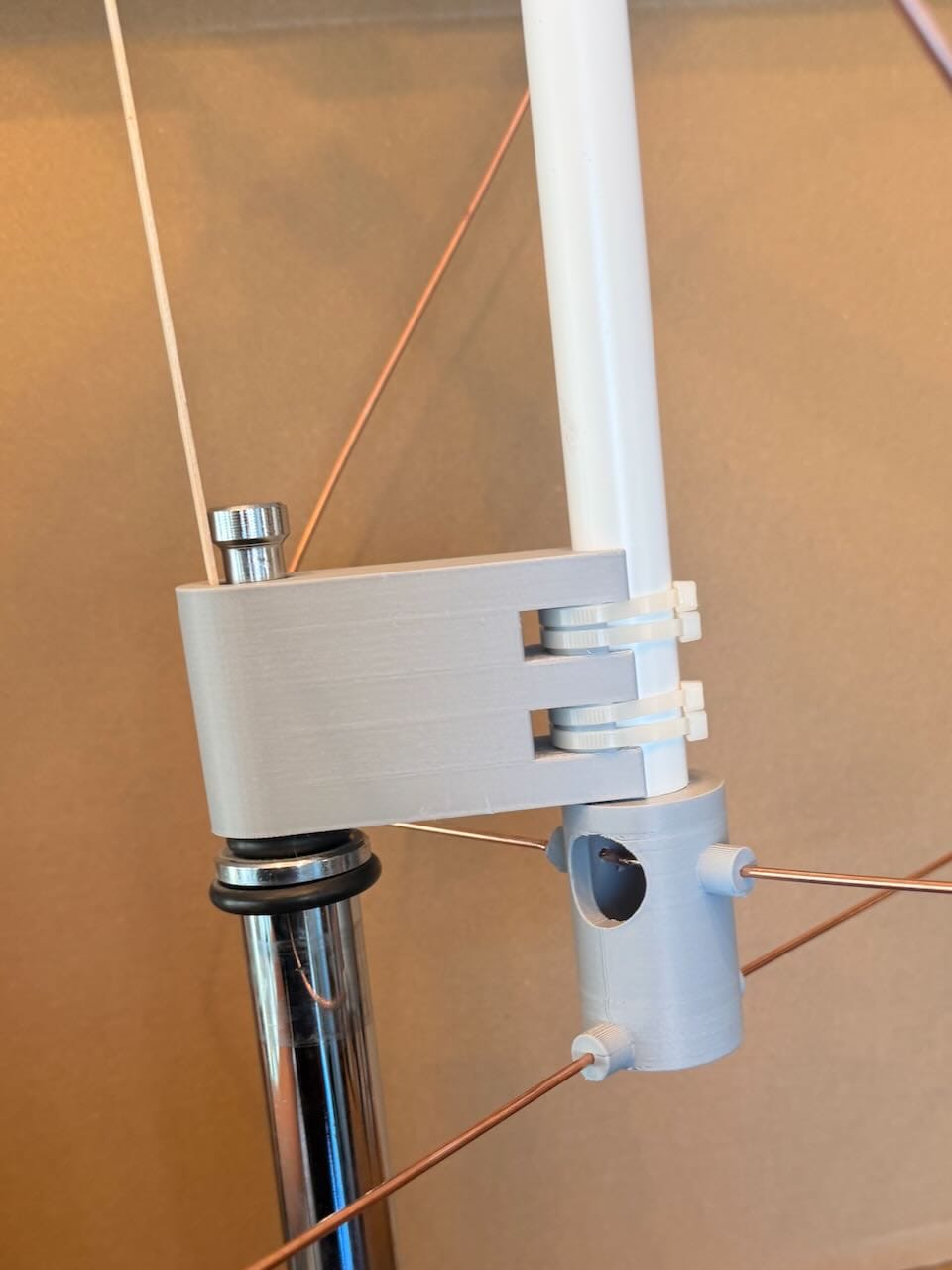
Twin ties through each slot, no movement and no deformation of the pipe.
My solution is a zip-tie collar clamp around the mid-section of the pipe, between the crossbar and the bottom cap where there's clear conduit. I designed this in Fusion to accept a standard C-stand spigot directly:
- Half collar for clamping around the 20mm conduit with slots for zip ties
- 5/8" (16mm) spigot socket on one half pointing downward — accepts any standard C-stand or light stand spigot
- 50mm collar height for good grip on the pipe
- Printed in PETG
C-stand spigots are a photography and film industry standard — 5/8" (15.875mm) diameter steel pin found on all standard C-stands and a huge range of grip accessories. Designing the mount around this standard means the antenna can go on any C-stand, light stand, or grip accessory that accepts a 5/8" receiver — flexible for both temporary outdoor use and eventual permanent installation.
For first light I'll be deploying on a C-stand on the decking — elevated, open sky, easy to reposition based on pass azimuth. One thing to watch: my south-facing solar panels create an RF shadow from that direction. Before each pass, check the azimuth on n2yo and position the antenna so the panels aren't between it and the satellite's track.
The Upgrade Path
Once the QFH is built and tested, the next improvement is an LNA (Low Noise Amplifier) at the antenna feedpoint:
Why LNA position matters: Coax attenuates signals — RG174 loses approximately 0.6 dB per metre at 137 MHz. Any signal lost in the coax before amplification is lost forever, raising the system noise figure. By placing the LNA at the antenna feedpoint, the signal is amplified before the coax run, so the coax loss comes after amplification. The RTL-SDR Blog V4's built-in bias-T (4.5V) can power the LNA directly through the coax, requiring no separate power supply.
Recommended: RTL-SDR Blog Wideband LNA from technofix.uk (UK authorised reseller). Noise figure under 1 dB, 18.7 dB gain, 50 MHz–4 GHz coverage, bias-T powered.
The complete station stack:
QFH Antenna (137.5 MHz, circularly polarised)
    ↓  20cm RG174 pigtail
RTL-SDR Blog LNA (bias-T powered from V4)
    ↓  3m RG58 extension
RTL-SDR Blog V4 dongle
    ↓  USB
MacBook running SDR++ + SatDump
Next Steps
What's Still Needed
- Reprint two end caps — with rods relaxed and seated before soldering this time
- Print and fit the collar clamp mounting
- Coax arrives — thread RG174 up through the conduit, solder centre conductor and braid to the AC/BD pairs at the top cap, weatherproof with self-amalgamating tape
- LNA arrives — fit between antenna base and dongle, enable bias-T in SDR++
First Test: Without LNA
The antenna can be tested as soon as the coax is fitted — straight from antenna to RTL-SDR Blog V4. This will confirm the antenna is working and give a direct comparison against the dipole results from the first session.
Even without the LNA the QFH should outperform the dipole on every pass, primarily because it's circularly polarised — that alone recovers the ~3 dB polarisation loss that affected the dipole throughout.
Finding a Good Pass
Check n2yo.com for Meteor-M N2-3 (NORAD ID: 57166) and N2-4. Looking for:
- Elevation above 40 degrees — higher is better
- Southbound pass — satellite approaching gives rising signal for the first half of the pass
- Clear azimuth — no obstructions (solar panels, buildings) between antenna and the satellite's track
Recording Settings — Lesson Learned
The first session recording ended up as a cs16 WAV file which hit the 4GB WAV format limit on a longer pass, causing problems with SatDump. The fix is simple: record as cf32 from the start.
In SDR++ record settings: Set sample type to cf32 before the pass starts. This saves a raw IQ file rather than a WAV container, sidestepping the 4GB limit entirely. The file will still be large — at 2.4 Msps a full pass is 4–5 GB — but SatDump handles it without conversion.
SatDump decode settings:
| Setting | Value |
|---|---|
| Pipeline | METEOR M2-x LRPT 80k |
| Baseband format | cf32 |
| Sample rate | 2400000 |
| DC Blocking | On |
| Fill Missing Data | On |
| IQ Swap | Off (try On if NOSYNC) |
| Meteor Satellite | M2-3 or M2-4 |
| Frequency Shift | 0 |
What a Successful Decode Looks Like
SatDump will produce image files in the output directory:
- Channel 1 — visible light (may be dark depending on time of day)
- Channel 2 — near infrared
- Channel 3 — thermal infrared — works day and night, shows cloud patterns and weather systems over Europe
The thermal infrared channel will produce a recognisable image of the UK and surrounding region regardless of time of day — received on a homebrew antenna built from garage stock and 3D printed parts.
The kids will be watching.
Part 3 will cover first light — the QFH's first satellite pass, the SatDump decode, and hopefully the first weather image.
Resources
- 3dp-qfh design: github.com/LongHairedHacker/3dp-qfh
- QFH dimension calculator: jcoppens.com/ant/qfh/calc.en.php
- Satellite pass predictions: n2yo.com (NORAD ID 57166 for Meteor-M N2-3)
- SDR++: sdrpp.org
- SatDump: satdump.org
- RTL-SDR Blog LNA (UK): technofix.uk